What can a video editing MCP server let Claude or Codex do?
MCP video editing means letting Claude, Codex or Cursor use a video app's tools through an MCP server. What you get back decides it: an editable timeline, new files from FFmpeg, a cloud render, or short clips. Descript, Palmier Pro and ChatCut give a timeline; reap and OpusClip give clips. octuedit, an AI video editor that we make, has a local MCP mode for Claude Desktop and Cursor.
Updated 26 November 2026 · By Shivank Goura, co-founder of octuedit. We make octuedit.
What is an MCP server for video editing?
An MCP server is a small program that gives an AI agent new tools. MCP, the Model Context Protocol, is an open standard for connecting AI apps to outside systems. A video MCP server lets Claude, Codex or Cursor cut, caption or render video through another app. Your agent decides; the server only does the work it exposes.
A video editing MCP server lets Claude, Codex or Cursor edit through another app, and what comes back decides which one you want. Palmier Pro, ChatCut, Descript and the bridges into Premiere Pro and DaVinci Resolve give you an editable timeline, so you can fix any cut by hand. FFmpeg servers such as Kinocut and ffmpeg-mcp-lite write a new file for every edit, with no project to reopen. Shotstack and Creatomate take a text file or template and render it in the vendor's cloud. reap and OpusClip turn one long video you upload into short, captioned clips. octuedit, our own desktop app, has a local MCP mode for Claude Desktop and Cursor. Some servers make each edit themselves, while others pass your request to the vendor's AI. Descript's does that through Underlord, which spends Descript credits on top of your Claude plan.
The protocol's own docs compare MCP to "a USB-C port for AI applications". The plug is the same everywhere, but the other end varies. One server edits a real timeline, while another runs one FFmpeg command and hands back a file. So start with what you want back.
We make octuedit, so read this with that in mind. Facts about other tools come from their own docs, pricing pages and GitHub repos, checked on 23 November 2026. I'll say plainly where another tool is the better pick.
Four kinds, sorted by what comes back
- An editable timeline. The agent works inside an editor, and you can open the project.
- New files from FFmpeg. The agent runs FFmpeg on files in a folder.
- A render from a spec. The agent writes a text file describing the timeline (JSON) or fills a template.
- Clips from a long video. You upload one recording and get several shorts.
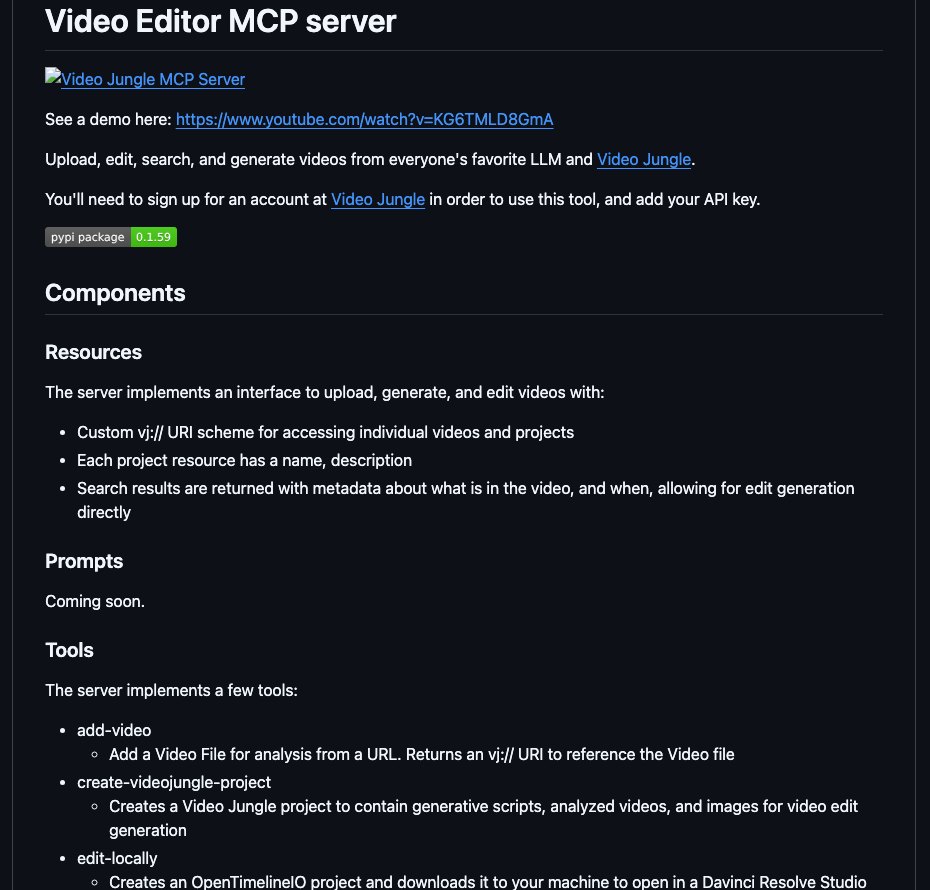
Some servers sit outside these four. Video Jungle's server searches and analyses clips you add, generates edits from them, and can open an edit in DaVinci Resolve Studio. It needs a Video Jungle account. Generation servers make new footage instead of editing yours.
Which route fits you?
- You already edit in Descript, Premiere Pro or Resolve: connect your agent to that editor.
- You turn long videos into shorts: a clipping server.
- You make many videos from one template: a cloud renderer.
- You need a quick convert, compress or trim, free: an FFmpeg server.
- You want an editable cut of your own footage without uploading it: a local editor with MCP, from the table below.
Which video MCP servers are there, and what does each give back?
The best video editing MCP server for Claude depends on what you need back. About 15 are worth knowing in late 2026. They split into editors with a timeline, either on your computer or in a vendor's cloud, plus FFmpeg servers, cloud renderers and clipping services. Every one also needs your agent's own plan, such as Claude Pro at $20 a month billed monthly or $17 billed annually.
What each one gives back
| Server | What comes back | Footage uploaded? |
|---|---|---|
| Palmier Pro | Timeline in a Mac app | Not on the free plan |
| ChatCut Desktop | Timeline, Mac or Windows | Works with local files; generation is hosted |
| VideoEdit MCP | Timeline, Mac beta | A light copy, for analysis |
| octuedit | Timeline in a desktop app | No; frames the agent views go to its provider |
| Descript | Descript project | Yes |
| Tella | Edited Tella recording | Yes |
| invideo | Browser timeline, plus generation | Yes |
| Kapwing | Kapwing project, MP4 | Yes |
| reap | Captioned, dubbed clips | Yes |
| OpusClip | Clips | Yes |
| Kinocut | New files | No |
| ffmpeg-mcp-lite | New files | No |
| Shotstack | Render from JSON | Yes |
| Creatomate | Render from templates | Yes |
| Premiere and Resolve bridges | Your editor's timeline | No |
Every route also sends your requests, and whatever the agent reads, to your agent's AI provider.
Regular price
| Server | Price |
|---|---|
| Palmier Pro | Free plan includes MCP; paid plans |
| ChatCut Desktop | Free; from $25 billed monthly, $21 billed annually |
| VideoEdit MCP | $29.99 a month |
| octuedit | $99 once, 14 day refund |
| Descript | Hobbyist $24 billed monthly, $16 billed annually |
| Tella | Tella pricing |
| invideo | invideo pricing |
| Kapwing | Kapwing pricing |
| reap | Free hour; reap pricing |
| OpusClip | Pro or higher; OpusClip pricing |
| Kinocut, ffmpeg-mcp-lite | Free |
| Shotstack | Starter $39 a month |
| Creatomate | Essential $54 billed monthly, $45 billed annually |
| Premiere and Resolve bridges | Free bridge, plus the editor |
Subscription prices are per month. Where a vendor shows only a sale price, or I could not read a regular one, I link the pricing page instead.
What the table doesn't show
- Palmier Pro needs macOS 26 on Apple silicon. Agents reach it only while the app is open, at a local address.
- ChatCut Desktop exports XML for Premiere Pro and Resolve but not FCPXML for Final Cut. Sign-in, sync and generation need the internet.
- VideoEdit MCP says "every editor action is a tool" and asks for a card at signup.
- octuedit (ours) is a desktop app with a local MCP mode. Setup is under In Claude Desktop.
- Tella has more than 100 tools for screen recordings and demos. Its blog says it "can read subtitle translations but not create them, and it doesn't dub audio".
- Kapwing blocks MCP export for free users on videos over 4 minutes. The agent gets your access across all workspaces.
- reap has 30 tools. Over MCP you change clip titles and captions; deeper edits open reap's web editor.
- OpusClip has 37 tools, but calling one needs a Pro, Max or Business plan, and Pro API access is in beta.
- Kinocut runs locally. Its README says shortening "keeps the beginning after cleanup; it does not choose the best moment".
We compare two of the Mac editors in depth in octuedit vs Palmier Pro and octuedit vs ChatCut.
Bridges into Premiere Pro, DaVinci Resolve and Final Cut
These let the agent drive the editor you already use, so the timeline stays real. Adobe has its own Claude connector for jobs like resizing a clip, but no official server edits a Premiere timeline. The community Premiere bridge exposes 283 tools through a panel.
Resolve and Final Cut
Blackmagic says DaVinci Resolve 21.1 "supports integration with AI assistants such as Claude, Claude Code and ChatGPT Codex". The community Resolve server needs Studio, since 21.1 moved scripting there. Final Cut has no official MCP. Community routes either round-trip FCPXML or patch a copy of the app.
Each bridge has its own setup and failure points, so they live in the editors section of our Claude Code guide. Jumper is a different idea: a local MCP that searches your footage and builds sequences in Premiere, Resolve, Final Cut and Avid.
Does a video MCP server edit your video, or ask another AI to?
It depends on the server. Some expose real editing steps, such as trim, split or add a caption, and your agent decides each one. Others pass your request to the vendor's own AI, so your agent mostly relays it. Descript's MCP runs edits through Underlord, its built-in AI, which spends Descript's AI credits on top of your Claude plan.
Descript is open about the trade. Its MCP page says automated editing "tends to get through credits faster than editing by hand". Imports use media minutes. Its help page also lists limits:
- No rendered download without publishing a web link.
- No YouTube links as imports.
- One Drive per connection, and job history kept for 30 days.
I found that the credit usage triples when using the MCP versus prompting inside Underlord
a user on r/Descript thread
That is one person's account, not a measured number. It still shows the question to ask any hosted server: who pays for each step, and in what currency?
What a month costs, shown as sums
Add the server's regular monthly price to your agent plan. These use Claude Pro at $20 a month.
- Descript Hobbyist: $24 + $20 = $44 a month.
- VideoEdit MCP: $29.99 + $20 = $49.99 a month.
- Shotstack Starter: $39 + $20 = $59 a month.
- An FFmpeg server such as Kinocut: $0 + $20 = $20 a month.
- octuedit: $99 once, then $20 a month for Claude Pro.
When Descript is the better pick
If you already edit by transcript in Descript, keep your projects in its Drive, or rely on Studio Sound, use Descript's MCP. It works from Claude, ChatGPT and Cursor, and the project stays editable in Descript. The credit cost is the price of staying in a tool you know. Our Descript comparison covers the rest.
How do you connect a video MCP server to Claude or Codex on a Mac?
First check whether the server is local, on your Mac next to your footage, or remote at the vendor. Remote ones sign you in with your account (OAuth). Claude Code and Codex take both kinds. Custom connectors in claude.ai and Claude Desktop reach only remote servers, because Anthropic's cloud makes that connection.
In Claude Code
- For a remote server, add its address. Descript's is
claude mcp add --transport http descript https://api.descript.com/v2/mcp. - For a local app server, open the app first. Palmier Pro serves at
http://127.0.0.1:19789/mcponly while it runs. - For a local command server, give the command. Kinocut uses
claude mcp add kinocut -- uvx --from kinocut==2.0.1 kino --mcpand needs FFmpeg installed. - Start a new conversation, then ask the agent to list the server's tools before you give it a real edit.
Claude Code warns when one tool reply passes 10,000 tokens and cuts it off at 25,000 by default. Long transcripts can get clipped, so ask for one section at a time.
In Codex and ChatGPT
Codex keeps servers in ~/.codex/config.toml, and the Codex CLI, IDE extension and ChatGPT desktop app all support MCP. Add a remote one with a line like codex mcp add tella --url https://api.tella.com/mcp. ChatGPT on the web reaches remote MCP tools only, through plugins. So a local server needs Codex.
In Claude Desktop
Hosted servers such as Descript and Tella appear in Claude's connector directory. Local servers go in Claude Desktop's config file or come as a one-click bundle. Palmier offers a bundle from its Help menu and notes the warning Claude shows, because Anthropic hasn't verified it. On the free Claude plan you get one custom connector.
octuedit's MCP mode uses this local route. octuedit needs macOS 13 or later (Apple silicon and Intel), or Windows 10 or 11 (64-bit, beta). On a Mac:
- Quit Claude Desktop with Cmd+Q.
- In octuedit's Settings, turn on AI apps (MCP). It adds itself to Claude Desktop and Cursor if they are installed.
- Reopen Claude Desktop and ask it to list octuedit's tools.
ChatGPT desktop isn't supported.
Check what you are connecting
Claude Code's docs tell you to verify you trust each server before connecting it. Servers that fetch outside content can expose you to prompt injection: hidden instructions in a page or file that the agent may follow. Kapwing's agent gets your full account access, and Video_Editor_MCP runs any FFmpeg command the agent writes.
Can the agent see the picture, and do more tools help?
Often it can't. Many video servers hand the agent a transcript, file names or JSON, so it edits by words and timings. Fewer return still frames it can look at. Without frames it can't spot a bad crop or a covered face, so check what a server returns before trusting it with reframing.
The gap shows up in the projects themselves. Kinocut's README says reframing "uses a center crop and requires visual review". FableCut, an open-source browser editor with MCP, has an open request titled "Vision: let agents look at frames". Users build their own workarounds:
i would love CC to be able to "view" a video. so far I've used self written mcp which grabs couple of jpg files from the video and feeds it to it which is sub optimal.
a user on r/ClaudeCode thread
octuedit's MCP mode returns frames of the edited timeline, not only the source clips. Those frames go to the AI provider of the app you connect, so read our privacy comparison if that matters to you. Separately, if Claude Code is installed, your Claude gets still frames from each clip for search, with no off switch.
More tools, more ways to pick wrong
Every tool comes with a description the agent has to read, so a long list costs context and invites wrong picks. The Premiere bridge hides its 283 tools behind a search tool, and Kinocut lists 18 of its 206 by default. One team that builds video tools for Claude said the same:
We started with 12 MCP tools mirroring the HTTP API 1:1. Claude kept running the 7-step upload flow manually and confusingly ... We collapsed to 5 tools
a user on r/ClaudeAI thread
Not every connector adds much, either.
Most MCP wrappers I've tried just save you a tab vs opening the actual app, this is the first one I've seen where the use case is volume not just access.
a user on r/SideProject thread
So judge a server by its results, not its tool count.
Which should you use: a video MCP server, FFmpeg or an editor your agent drives?
Pick by what you need back and where your footage may go. If you already edit in Descript, Premiere or Resolve, connect to that. Use a clipping server for clips from long videos and a renderer for templated videos at scale. For your own footage, with a timeline you fix by hand and no upload, use a local editor with MCP.
By situation
- You already live in Descript: Descript's MCP. You keep your projects and Studio Sound, and pay in credits.
- You edit in Premiere Pro or Resolve: a bridge, so the timeline stays in your editor. Expect to fix it after updates.
- You turn long videos into shorts: reap or OpusClip. Our shorts guide compares every route.
- You render many videos from one template: Shotstack or Creatomate. Neither is built for cutting your own long footage.
- You need a quick trim, compress or convert, free: an FFmpeg server. Here FFmpeg is simply the better pick.
- You want generated shots on the same timeline: ChatCut or invideo. octuedit does not generate video or images.
- You record screen demos and tutorials: Tella, a screen recorder with its own editor.
- You edit your own footage and want to pay once: octuedit. Palmier Pro is the free pick on macOS 26 with Apple silicon.
Some people would rather give the agent written instructions than a server. For that route, read Claude Code video editing skills. For agents built into an editor, see AI video editing agents.
Limits to plan for
| Limit | Who it hits | What to do |
|---|---|---|
| Footage uploads | Descript, Tella, invideo, Kapwing, reap, OpusClip, Shotstack | Read the privacy terms |
| Credits per step | Descript, invideo, reap; ChatCut for generation and its own agent | Watch usage in week one |
| App must stay open | Palmier Pro, Resolve and Premiere bridges | Keep the right project open |
| Updates break it | Premiere panel after a macOS update | Plan time after updates |
| No file over MCP | Descript, unless you publish a link | Export inside the app |
| No timeline | FFmpeg servers | Keep the source files |
octuedit's own limits
octuedit has limits too:
- Its MCP mode works with Claude Desktop and Cursor only, and needs the $99 licence (14 day refund). Claude Code or Codex work in the app's own chat instead.
- It doesn't work inside Premiere, Resolve or Final Cut. Its project files for those editors don't carry grades, transitions, keyframes or caption styling. More on handing off to Final Cut.
- It has no colour wheels or scopes, and usage counts against your agent plan's limits.
What we'd do next
Start with the result you need, not the server list. For clips, try reap's free hour or OpusClip first. For a quick file fix, add an FFmpeg server to Claude Code; it costs nothing beyond your plan. For an editable cut of your own footage, connect one timeline editor and give it one small job.
A good first request: "Remove the pauses longer than half a second from this clip. Don't touch anything else, then list every cut you made." Check every cut on the timeline before you ask for the next step. Then decide whether the credits, the upload or the setup suits how you work.
The hub guide compares every other way to edit with Claude Code.
Questions
Is there an official video editing MCP server?
Yes, several vendors run their own: Descript, Tella, invideo, Kapwing, reap, OpusClip and Shotstack. Adobe's Claude connector handles jobs like resizing a clip, but Premiere timeline routes are community bridges. Resolve 21.1 added AI assistant support.
Can ChatGPT use a video MCP server?
ChatGPT on the web reaches remote MCP tools through plugins, so hosted servers like Descript's work there. Local servers, such as FFmpeg tools on your Mac, need Codex or another client that runs on your Mac instead.
Do you need to code to use a video MCP server?
No for hosted servers: you sign in with your account from a connector directory. Local servers ask more. Some need one terminal command, and FFmpeg servers need FFmpeg and uv, a Python tool. Premiere and Resolve bridges need the most setup.
Are video MCP servers free?
Connecting is usually free, but the work is not. Hosted servers bill through your plan's credits or minutes. FFmpeg servers like Kinocut are free and local. Every route also needs your agent's plan, such as Claude Pro at $20 a month billed monthly.
Can I keep editing while the agent works?
In hosted editors such as invideo, you watch edits land in the browser as they happen. Local editors show the timeline change in the app. Either way, give one step at a time and check it before the next, because a step can report success and still be wrong.
Is it safe to let an MCP server touch my files?
Only connect servers you trust. Claude Code's docs warn that servers fetching outside content can expose you to prompt injection. A server that runs raw FFmpeg commands acts with your user's permissions, so keep copies of source files and review what it plans first.
Does Blender MCP edit video?
Not as far as its README says. The popular Blender MCP controls Blender 3D scenes, and its docs don't mention Blender's video sequence editor. For cutting footage, an editor with a timeline, a bridge into your own editor, or an FFmpeg server fits better.
Sources
- octuedit changelog
- Model Context Protocol introduction
- Video Jungle MCP server README
- Claude pricing
- Palmier Pro README
- ChatCut product facts
- VideoEdit MCP home
- octuedit facts
- Descript MCP help
- Tella on MCP servers for video editing
- invideo remote agents
- Kapwing MCP release notes
- reap MCP
- OpusClip agent setup
- Kinocut README
- ffmpeg-mcp-lite README
- Shotstack pricing
- Creatomate pricing
- Adobe Premiere Pro MCP README
- davinci-resolve-mcp README
- VideoEdit MCP pricing
- Descript pricing
- Palmier agent and MCP docs
- Blackmagic DaVinci Resolve 21.1 announcement
- fcp-mcp-server README
- SpliceKit README
- Jumper for AI agents
- Descript MCP page
- Claude custom connectors with remote MCP
- Descript MCP README
- Claude Code MCP docs
- Codex MCP docs
- Tella MCP
- Video_Editor_MCP README
- FableCut frames request
- Adobe Premiere Pro MCP issue 119
- ChatCut pricing
- reap pricing
Facts about other tools come from each company's own website, checked 23 November 2026, and may change.