How do you edit videos with OpenAI Codex in 2026, and where does it break?
OpenAI's Codex is a coding agent, not a video codec. It edits video by running ffmpeg and Whisper on your files, or by driving an editor. The CLI starts with ChatGPT Plus at $20 a month; Free and Go get Codex only in the ChatGPT desktop app. It handles trims, captions, reframes and batch jobs. It breaks on timing and hand fixes, where a timeline editor such as Daydream or octuedit, an AI video editor, helps.
Updated 25 November 2026 · By Shivank Goura, co-founder of octuedit. We make octuedit.
Can OpenAI Codex edit videos?
Yes, but only through tools it runs. Codex is OpenAI's coding agent. It writes and runs commands for ffmpeg, Whisper and Python on your files, then hands you a new video file. It cannot watch or hear the footage itself, so taste, timing and hand fixes stay your job.
To edit videos with OpenAI Codex, describe the edit and let it write and run commands, the way it works on code. The ffmpeg tool does the cutting, cropping, joining and loudness work, and Whisper turns speech into text with timings. Codex reads that text, decides where to cut from your brief, and renders a new file. It can view still frames you extract, but it cannot play the video or hear the audio. That makes it strong at rules, such as removing pauses longer than a second, and weak at feel, such as where a joke lands. Every change is a new render, because there is no timeline to drag. You need ChatGPT Plus at $20 a month for the CLI that most video tools use. To fix cuts by hand, give Codex an editor with a timeline, or finish in Final Cut Pro, Premiere Pro or DaVinci Resolve.
This page is about Codex, the agent inside ChatGPT. Search engines often rewrite "codex" as "codec", which is a different thing: a codec is how a video file is compressed.
We make octuedit, so read this with that in mind. Facts about OpenAI and the other tools come from their own pages and GitHub, checked on 23 November 2026. I'll say plainly where another route is the better pick.
Which route fits you?
- You pay for ChatGPT Plus and want trims or batch jobs: Codex with ffmpeg and Whisper. It costs nothing extra.
- You want reels with motion graphics: a video skill such as Herk Edit Kit, or HyperFrames.
- You want to nudge cuts by hand afterwards: an editor Codex drives, such as Daydream, ChatCut, OpenChatCut or octuedit.
- You have no ChatGPT plan and don't want to manage an agent: skip Codex. A clipping tool is simpler; our guide to turning long videos into Shorts compares them.
What Codex does well
How-To Geek's Adam Davidson used Codex with free tools in place of Premiere Pro for his rough cuts. Here is what he had it do:
- Assemble clips in order and pick the better of repeated takes.
- Trim heads and tails, cut dead air and change the speed of a section.
- Crop to a new aspect ratio, rotate, fade, and show several clips in one frame.
- Normalise loudness and adjust colour across clips.
- Make title cards with Pillow and add subtitles from a Whisper transcript.
What it can't do on its own
Codex can look at a PNG or JPEG you give it, so it can check an extracted frame. An open bug report from a ChatGPT Plus user says it "cannot review picture + sound" in an MP4. Another says the desktop app no longer transcribes audio from local video files. So a transcriber such as Whisper is a requirement, not an extra.
Codex also won't make creative choices you didn't spell out. Dan Sanchez edits his podcast with Codex. In his words, "it won't make creative decisions you haven't explained."
What are the ways to edit video with Codex?
There are five routes. Codex can run ffmpeg directly, load a video skill, or render motion graphics through HyperFrames or Remotion. It can also click through a desktop editor, or drive an editor built for agents. Only the last two leave you a timeline you can fix by hand.
All five run on your ChatGPT plan, and some add their own costs. The table splits the skills route into its three main options.
| Route | Timeline you can fix by hand? | Footage leaves your Mac? | Extra cost beyond ChatGPT |
|---|---|---|---|
| 1. Codex + ffmpeg + local Whisper | No, you get an MP4 | No; text and frames go to the model | $0 |
| 2. Skill: ffmpeg-skill | No | No | $0 |
| 2. Skill: video-use | No | Audio goes to ElevenLabs | ElevenLabs transcription |
| 2. Skill: Herk Edit Kit | No | Audio to ElevenLabs by default | ElevenLabs; others optional |
| 3. HyperFrames or Remotion | A preview, not a clip timeline | No, for local renders | $0 for individuals |
| 4. Computer Use + your editor | Yes, the editor's own | Screenshots go to the model | $0 |
| 5. An editor Codex drives | Yes | Depends on the app | Free, credits or one fee |
Codex with ffmpeg and a transcriber
This is the baseline every other route builds on. Codex writes ffmpeg commands and runs them on a footage folder. You add a local transcriber such as Whisper or WhisperX, which gives word timings. It costs nothing beyond the plan and suits rule-based jobs, like the same crop and loudness on 30 files.
Skills that teach Codex video
A skill is a folder of instructions Codex loads when a task needs it. Codex reads skills from ~/.agents/skills and from the project folder, and you call one by typing $ and its name. Three video skills name Codex in their own docs.
- [ffmpeg-skill](https://github.com/kajisho5/ffmpeg-skill) runs 42 ffmpeg tools with an optional local speech engine, so the audio stays on your Mac. Its README says it "does not decide what to cut".
- [video-use](https://github.com/browser-use/video-use) cuts filler and dead air and burns in subtitles. Transcription runs on ElevenLabs, about $0.20 per hour of audio on its API.
- [Herk Edit Kit](https://github.com/nateherkai/herk-edit-kit) has 15 skills for reels, Shorts and motion graphics, with Codex commands such as
$edit-video.
The deeper comparison of these lives in our guide to video editing skills for Claude Code and Codex.
Motion graphics with HyperFrames or Remotion
HyperFrames is HeyGen's open framework that turns HTML and animation into MP4. Run npx hyperframes skills update once and Codex can use it. Its Studio has a free plan, and Pro is $25 a month for more cloud exports and HeyGen's models.
Remotion does the same in React code. It is free for individuals and companies of up to 3 people, then $25 a month per seat. Both suit titles, captions and explainers more than cutting a long talking head.
Computer Use with Final Cut Pro or CapCut
In the ChatGPT desktop app, Computer Use lets Codex see and operate desktop apps on a Mac in supported regions. OpenAI frames it for tasks where command line tools are not enough. I found no public source showing it cutting reliably in a dense timeline, so treat this route as an experiment.
Editors that Codex drives
Daydream connects to your Codex CLI or a local MCP server and keeps footage on your device. It exports XML to Final Cut Pro, Premiere Pro and DaVinci Resolve. Its free tier includes 1 hour of transcription and 100 MCP tool calls a month. Paid plans start at $25 a month billed monthly, or $20 a month billed annually.
ChatCut runs as a plugin inside Codex and gives Codex a real multi-track timeline, with AI generation in the same tool. Its Desktop app can use local files, its web version uploads them, and it has no FCPXML export. Paid plans start at $25 a month billed monthly, or $21 a month billed annually.
OpenChatCut is a free, open source editor under the AGPL licence, with a multi-track timeline that Codex can read, edit and export. It is local first and a young project, started in July 2026.
How do you edit a video with the Codex CLI and ffmpeg on a Mac?
Install the Codex CLI, ffmpeg and Whisper, open Codex in your footage folder, approve the installs, and describe the edit. Ask for a short sample render first, then the full file. Keep originals in a separate folder. The CLI needs ChatGPT Plus or higher; on Free or Go, use the ChatGPT desktop app instead.
Set it up
- Install Codex. In Terminal, run
curl -fsSL https://chatgpt.com/codex/install.sh | sh. OpenAI's page also lists npm and Homebrew. - [Install ffmpeg](https://ffmpeg.org/). Run
brew install ffmpegif you use Homebrew. - Open your project. Put the clips in one folder,
cdinto it and runcodex. Choose "Sign in with ChatGPT". - Approve what it asks. By default Codex works inside the folder with network access off. It asks before running commands that need the network, such as
pip installor a Whisper model download.
On a Mac the sandbox needs no extra setup. The ChatGPT desktop app download is labelled for Apple silicon Macs. OpenAI's GitHub releases also include Intel Mac builds of the CLI, so on an Intel Mac the CLI on Plus is the way in.
Ask for the edit
- Transcribe first. "Transcribe every clip with Whisper and save word timings as JSON."
- Ask for candidates, not a winner. "Give me three 30 second ranges from interview.mov that work as a Short. Include the transcript for each." You pick the one that sounds right.
- Render a sample. "Cut range two, crop to 9:16, burn in captions, export 10 seconds as a test." Check the joins before the full render.
- Render the full file. "Render the full clip as interview-v1.mp4 and run ffprobe on it." Then play it through once at normal speed.
Keep every version
Plain Codex has no undo for a render. Ask it to save each render under a new number, such as v1 and v2, and never to overwrite your originals. Going back two edits then means opening an older file.
Save your style so you stop repeating it
Write your rules once in an AGENTS.md file in the project, or turn them into a skill Codex can call later. A poster in r/codex gave the same advice.
Turning it into a "skill" will make it so it can be fine-tuned and called upon by codex at any time without you explaining every little detail every time.
a poster on r/codex thread
Check your remaining usage
Type /status in the CLI to see what is left of your limit. A video session gets long fast, so check it before a big render.
What does editing video with Codex cost on each ChatGPT plan?
Codex comes with every ChatGPT plan, but where it runs differs. Free ($0) and Go ($8 a month) get Codex only in the ChatGPT desktop app. Plus ($20 a month) adds the CLI, the IDE extension, the web and iOS. Most video tools call the CLI, so Plus is the practical floor; Pro starts at $100 a month.
| Plan | Price | Where Codex runs | Note for video work |
|---|---|---|---|
| Free | $0 | Desktop app only | For quick tasks, subject to rollout |
| Go | $8 a month | Desktop app only | OpenAI pitches it for lightweight tasks |
| Plus | $20 a month | App, CLI, IDE, web, iOS | Can buy extra credits |
| Pro | $100, $200 or $500 a month | Everywhere Plus runs | No five-hour limit for now |
| Business | $25 a user a month, or $20 billed annually | Everywhere Plus runs | 2 or more users |
| API key | API rates | CLI, SDK, IDE | Pay per token, no cloud tasks |
Prices are OpenAI's regular monthly prices on its Codex pricing page, checked 23 November 2026.
How far a Plus plan goes
OpenAI gives ranges, not fixed limits. On Plus, it estimates 15 to 160 local messages per five hours with GPT-6.1 Sol. GPT-6 Luna gets 350 to 3,000 and GPT-6 Astra 5 to 45. So Luna is the model that stretches a Plus plan furthest.
Weekly limits may also apply. OpenAI says long sessions where the agent holds more context "will use significantly more per message".
Video sessions are long by nature. Every transcript Codex reads, frame it views and render it checks stays in the session, so each later message costs more. One open feature request comes from a Plus user whose five-hour quota ran out before a video project reached its first working milestone. Fast mode uses your limit 2 to 2.5 times as fast.
What add-ons cost on top
- ffmpeg, Whisper, WhisperX, ffmpeg-skill, OpenChatCut and the HyperFrames skills: $0.
- OpenAI's own
transcribeskill uses your API key, billed at API rates. - ElevenLabs transcription for video-use: about $0.20 per hour of audio.
- Remotion for companies over 3 people: $25 a month per seat. HyperFrames Studio Pro: $25 a month.
- Daydream paid plans: from $25 a month billed monthly, or $20 a month billed annually.
- octuedit: $99 once, with a lifetime license, updates and a 14 day refund, plus your ChatGPT plan.
For comparison, Claude Pro, which runs Claude Code, is also $20 a month billed monthly, or $17 a month billed annually.
Where does Codex video editing break?
Codex breaks where editing stops being a rule. It cuts too tight or too loose, and it can't hear a clipped word. It may say a task is done before checking, every fix means another render, and long sessions eat your plan's limit. Most of these have a workaround, listed under each one below.
1. Cuts that are too literal
Codex does what you said, not what you meant. Ask for clips to end when the speech ends and it cuts on the last syllable.
It had taken my instructions literally, so any clips containing speech cut off almost as soon as the speech ended, which felt a little abrupt.
Adam Davidson, How-To Geek article
Fix it in the brief: ask for a set amount of padding after speech, then listen to every join.
2. Clipped words it can't hear
Codex cuts from a transcript, and it cannot listen to the result. Dan Sanchez found that some cuts left "strange half-vowel sounds in the audio" where a word was clipped. Word timings from WhisperX help. Your own ears are still the check.
3. No editing basics out of the box
Plain Codex has no ready-made transitions, match cuts or masks. It builds each one from code. One r/codex poster, describing an earlier try in ChatGPT, put it this way.
For my editing style, ChatGPT wrote me a script and it didn't even know how to match cut or add transitions
a poster on r/codex thread
A video skill or an editor gives Codex those tools instead of asking it to invent them.
4. Every fix is a new render
Codex hands you a file, not a timeline. CrePal's guide says it directly.
There is no visual timeline where you nudge a cut by feel.
CrePal guide
Moving one cut by half a second means another request and another render. If you fix cuts often, use a route with a timeline.
5. "Done" before it checked
An open bug report describes the Codex desktop app ending a video generation task before checking the deliverable. The ffmpeg-skill README lists the same failure for agents writing raw ffmpeg. Open the output yourself every time, and ask Codex to run ffprobe on it before it reports back.
6. Weak visual taste
A Codex user wrote in an open issue that Codex "needs much stronger visual direction for programmatic video". For motion graphics, give it a reference frame and exact fonts, sizes and colours, not adjectives.
7. Limits mid project
Long sessions use the most per message, and GPT-6 Luna has the largest allowance on Plus. Start a fresh session per video, keep the brief in AGENTS.md, and check /status before long renders.
Should you use Codex or Claude Code, and when do you need a timeline?
Pick the agent you already pay for, then pick the route by the job. Codex needs ChatGPT Plus for the CLI and Claude Code needs Claude Pro, both $20 a month, and they run the same tools. No fair public test of edit quality exists, so the route matters more. Rule jobs suit ffmpeg, motion graphics suit HyperFrames or Remotion, and cuts you want to nudge need a timeline.
The Codex and Claude Code comparison on our hub has the longer answer.
When you need a timeline
If you want to nudge cuts by hand after Codex makes them, you need an editor it can drive. Daydream, ChatCut and OpenChatCut all work with Codex. In octuedit, a desktop app you download, Codex runs inside the app's own chat. You sign in with ChatGPT using one button, and Codex edits a multi-track timeline you can trim, drag and undo.
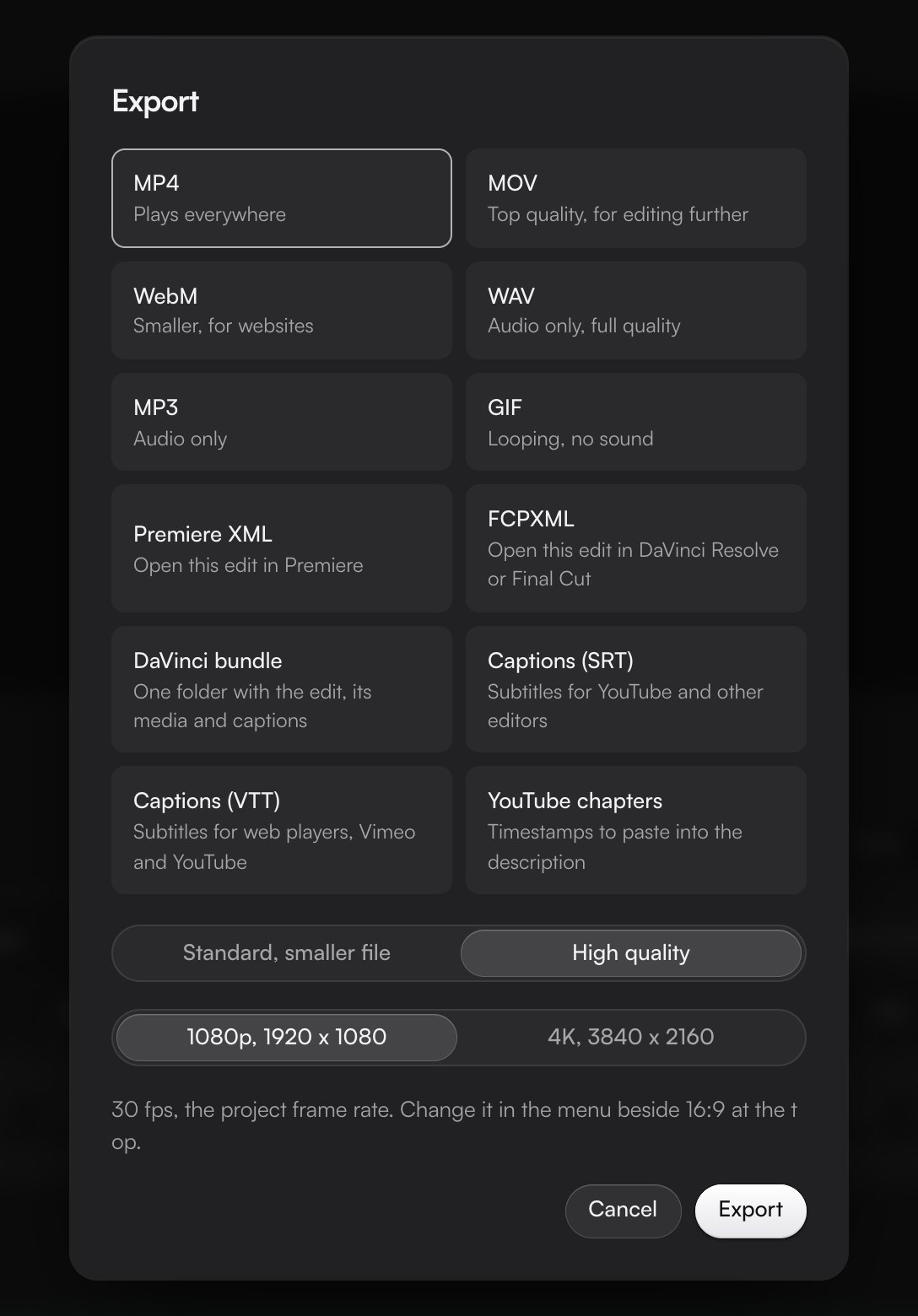
octuedit's limits with Codex
- OpenAI lists the Codex CLI from Plus up, and octuedit runs the CLI, so plan on ChatGPT Plus or higher.
- With Codex alone, search works by what is said, not by what is shown. Describing shots needs Claude Code installed; your Claude then gets still frames from each clip for search, with no off switch.
- It needs macOS 13 or later (Apple silicon and Intel), or Windows 10 or 11 (64-bit, beta).
- When your plan's Codex limit runs out, the chat says so. You can wait, or pick a Claude model if Claude Code is also signed in.
Footage, projects and exports stay on your computer. Transcription runs there by default; Groq is optional. Codex receives your requests and its work on the project, such as steps, file names and transcript lines.
octuedit itself receives diagnostics and a record of each agent edit, never media, linked to your licence email. Both switches are in Settings > Privacy, and shared edits start off in the EEA, the UK and Switzerland. octuedit's own Codex setup steps are on octuedit's Codex page.
What we'd do next
Codex can do real editing work today, through the tools it runs. Start small: install ffmpeg and Whisper, open Codex in a folder of clips, and ask for three candidate Shorts from one recording. Render a 10 second sample before anything long.
If the cuts land close enough, save your rules in AGENTS.md and reuse them. If you keep wanting to drag a cut by half a second, that is the sign to move to an editor with a timeline. Check /status as you go, and keep your originals in a separate folder.
Questions
Can Codex edit videos for free?
Partly. ChatGPT Free includes Codex in the ChatGPT desktop app, for quick tasks and "subject to rollout". The CLI, which most video tools call, starts with Plus at $20 a month. ffmpeg and local Whisper are free, so the plan is the main cost.
Do I need to know how to code to edit video with Codex?
No, but it helps to read what Codex runs. You describe the edit in plain words and approve commands it asks to run. You will see ffmpeg commands and file paths, and you should check each render yourself before you post it.
Can Codex watch my video?
Not directly. Codex reads text and still images such as PNG and JPEG. It works from a transcript, file details and frames you extract. A bug report on GitHub says it cannot review picture and sound together in an MP4 file.
Can Codex generate video from a prompt?
Not by itself. Some agent skills, such as Pexo's, call video models like Kling and Seedance and assemble a finished clip, billed through their own API key. Editing footage you shot is a different job, done with ffmpeg, a transcriber and an editor.
Does Codex upload my footage?
In the CLI or the desktop app, your video files stay on disk. Codex sends your prompts, command output and any frames it views to OpenAI's model. Cloud transcription, such as ElevenLabs or OpenAI's API, sends the audio to that service. Our privacy comparison covers editors.
Can Codex work with Final Cut Pro, Premiere Pro or DaVinci Resolve?
Yes, through a bridge. Some editors driven by Codex export XML project files for all three, so you finish there (Final Cut hand-off). Computer Use can click inside Final Cut Pro, but no public source shows it editing reliably in a timeline.
Is Codex or Claude Code better for video editing?
Neither wins on edit quality in any fair public test I've seen. Both run ffmpeg, Whisper and MCP servers, and both start at $20 a month. Use the one your plan already covers; most video skills and editors here work with either.
Which ChatGPT plan is best for video editing with Codex?
Plus at $20 a month is the floor for the CLI and most video tools. Pro starts at $100 a month and currently has no five-hour limit. Business is $25 a user a month billed monthly. Check usage with /status before long renders.
Sources
- OpenAI, Codex pricing and usage limits (checked 23 Nov 2026)
- OpenAI, Codex CLI
- OpenAI, ChatGPT desktop app
- OpenAI, Codex approvals and security
- OpenAI, Codex image inputs
- OpenAI, Codex skills
- openai/codex releases on GitHub (Apple silicon and Intel Mac builds)
- OpenAI, Codex computer use
- FFmpeg
- openai/whisper on GitHub
- WhisperX on GitHub
- How-To Geek, Codex can edit videos using free open-source tools (19 Oct 2026)
- Dan Sanchez, How to edit videos with Codex
- CrePal, How to edit videos with Codex
- openai/codex issue 43579, video files without picture and sound review
- openai/codex issue 47982, no transcription of local video files
- openai/codex issue 56891, five-hour quota and a video project
- openai/codex issue 60616, video tasks ended before verifying
- openai/codex issue 50492, visual direction for programmatic video
- HyperFrames on GitHub
- HyperFrames Studio pricing
- Remotion agent skills on GitHub
- Remotion pricing
- video-use on GitHub
- ElevenLabs API pricing
- ffmpeg-skill on GitHub
- Herk Edit Kit on GitHub
- Daydream, Codex video editing
- Daydream pricing (checked 23 Nov 2026)
- ChatCut product facts
- ChatCut pricing
- Pexo skills on GitHub
- OpenAI transcribe skill
- OpenAI API pricing
- Claude pricing
- octuedit with Codex
- octuedit facts
- octuedit pricing
- OpenAI, Codex sandboxing
- OpenChatCut on GitHub
Facts about other tools come from each company's own website, checked 23 November 2026, and may change.