thisiswhereitgetsgood
Captions that move
Word by word, styled, timed to the voice.
octuedit is an AI video editor for Mac. Drop your footage, say what you want, and your own Claude Code or Codex cuts it on a real timeline.
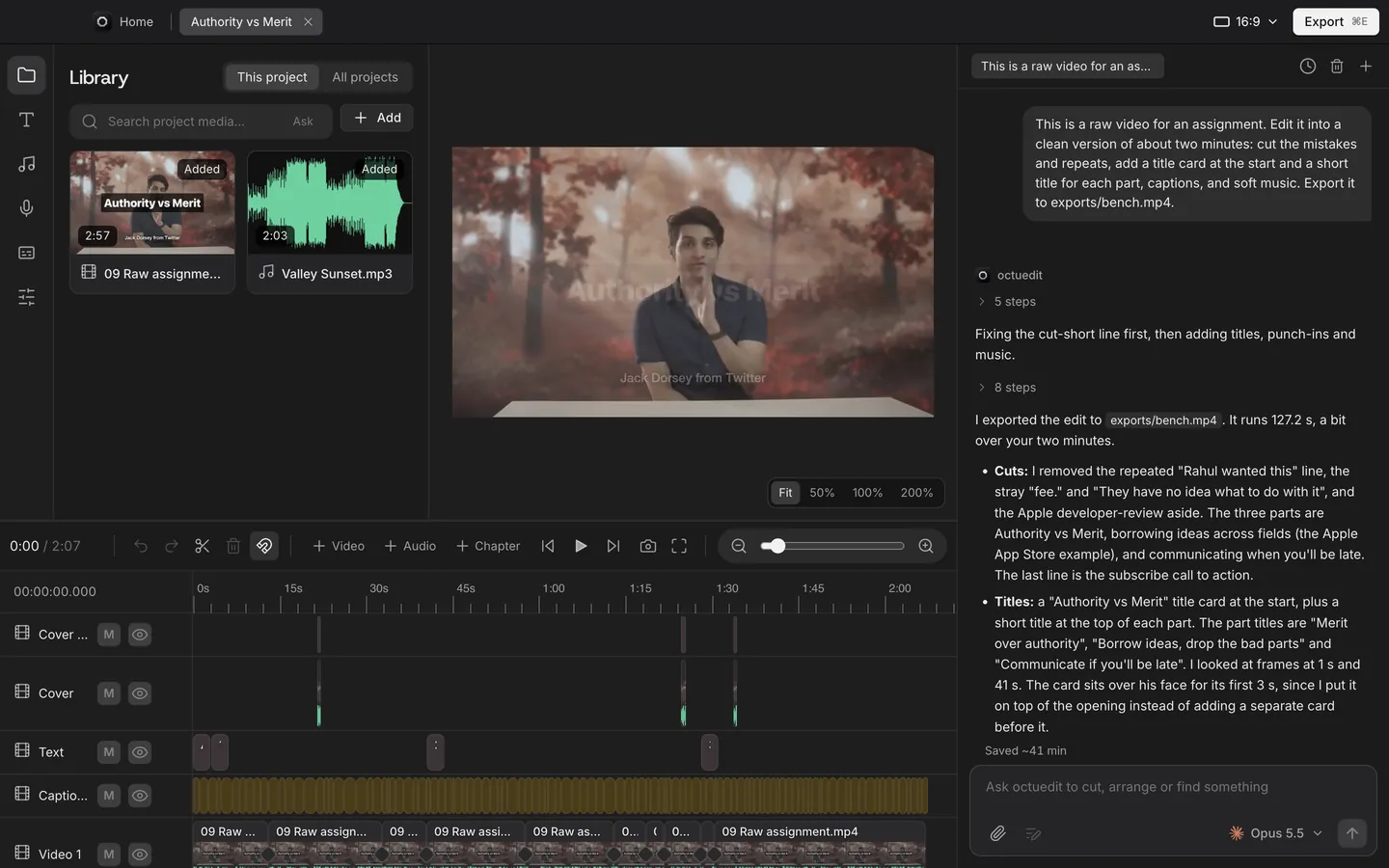
Your next explainer,made in octuedit.


Word by word, styled, timed to the voice.
Keyframed pushes on the lines that matter.
Landscape in, vertical out. Follows the subject.
Music ducks under the voice on its own.
One tap grades the whole cut.
Presets with real easing, not slideshow fades.
No subscription. No credits. Most AI editors bill you every month; octuedit is $99 once, before tax. See what's included or how it compares.
On a phone? You can buy now. We email the download link to open on your Mac.
Working with editors? Extra seats cost less each time.
Updated 27 October 2026.
octuedit is an AI video editor for Mac. You drop in your footage and describe the edit in plain words, like "cut the pauses, add captions, make a 30 second vertical clip", and your own Claude Code or Codex makes the cuts on a real timeline you can still adjust by hand. It's built for podcasts, talking head videos, explainers, tutorials and short form clips.
You import your clips into a project on your Mac, and octuedit prepares them locally: it transcribes the speech, detects shots and makes everything searchable. Then you describe the edit in the chat, the way you'd brief a human editor, for example "cut the pauses and filler words, add bold captions, punch in on the key lines and make a 45 second vertical version". Your own Claude Code or Codex reads the transcript and the project, then makes the changes on a normal multi-track timeline while you watch. Nothing is locked: you can ask for changes in plain words, or drag, trim and split clips by hand, and undo covers the agent's edits too. When it looks right, export MP4, MOV (ProRes), WebM or GIF in 16:9, 9:16, 1:1 or 4:5, with SRT captions, or hand the project to Premiere Pro, Final Cut Pro or DaVinci Resolve to finish there.
octuedit is a Mac app sold on this site for $99, paid once. Checkout runs through Paddle, our merchant of record; after payment you get the download link for the app by email, with updates included and a 14 day refund.
Any Mac on macOS 13 Ventura or later, Apple silicon or Intel. Apple silicon is the fastest, with hardware encoding for export and GPU transcription.
One of them, not both. octuedit doesn't sell AI credits; the editing runs on the agent you already pay for, under your own account. The chat inside the app runs on Claude Code, and Codex can edit the same project from Terminal.
No. Your clips, projects and exports stay on your Mac, and transcription runs on your Mac too. No octuedit server ever receives your footage. The app sends us anonymous step diagnostics and, so the agent learns to edit better, a record of each agent edit (your request, the agent's steps and the timeline before and after, never media); both are on by default and each switches off in Settings > Privacy. What reaches your AI agent, under your own Claude or OpenAI account, is what you ask plus the agent's work on the project: its steps, file names and results, such as the transcript lines it reads. By default a few still frames per clip are sent too, so search can find what's on screen; you can switch that off in Settings.
$99 before tax, paid once (sales tax or VAT is added at checkout where your country charges it). octuedit is yours for life with updates included, the same way Final Cut Pro and DaVinci Resolve Studio are sold. No subscription, and there's a 14 day refund if it isn't for you.
Always. The agent builds a normal timeline of clips, captions and audio. Drag, trim and split like in any editor, and undo covers the agent's changes too.
MP4, MOV (ProRes) and WebM in 1080p or 4K, and GIF, in 16:9, 9:16, 1:1 or 4:5, plus SRT and WebVTT captions, YouTube chapters and project files for Premiere, Final Cut and DaVinci Resolve.